How to Share Bird Camera Footage Without Compromising Privacy: A Step-by-Step Guide to Redaction, Consent, and Secure Sharing
Introduction
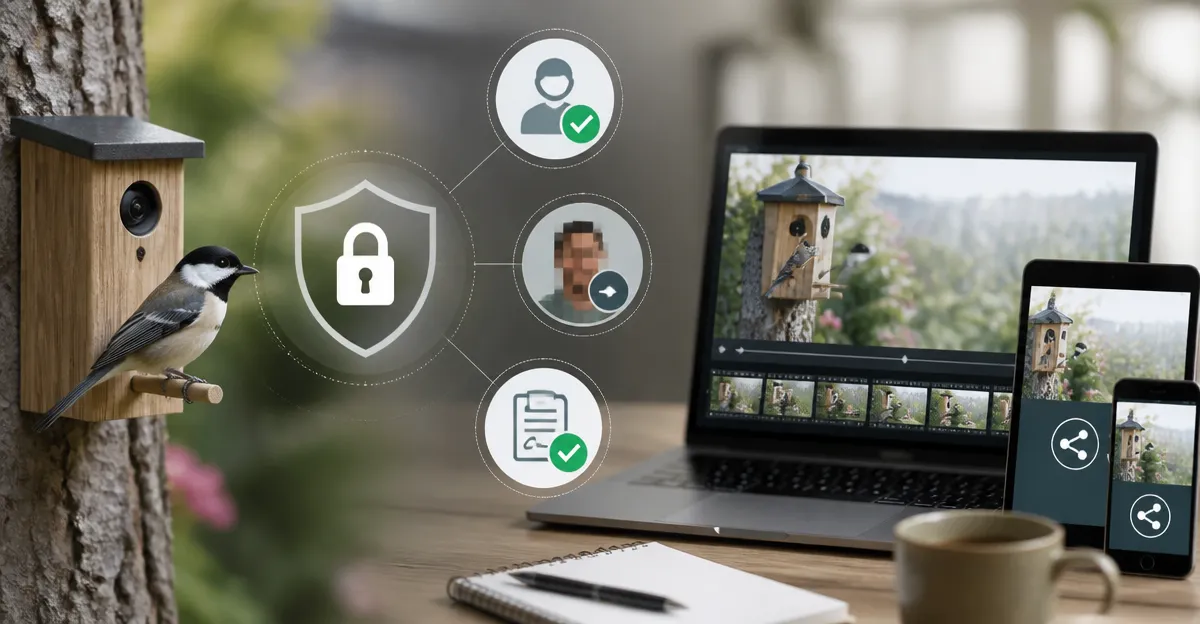
Backyard bird enthusiasts increasingly rely on smart feeders equipped with high‑definition cameras to capture feathered visitors. While sharing these captivating moments enriches community knowledge, it also raises privacy concerns for neighbors, passersby, and even the birds themselves. This guide explains the legal and ethical foundations of privacy‑safe sharing, outlines practical redaction techniques, and recommends tools that simplify the process. By the end of the article, readers will be able to share footage confidently, knowing that personal data remains protected.
Background & Context
Modern bird feeders, such as the HARYMOR Smart Bird Feeder Camera, combine AI identification, solar power, and cloud storage. These devices generate 2K or 4K video streams that can be accessed from smartphones, tablets, or computers. The same technology that enables real‑time alerts also records background scenes that may contain identifiable humans, private property, or license plates. In many jurisdictions, recording without consent can violate privacy statutes, and social platforms often penalise content that reveals personal information without proper masking.
Understanding the distinction between public‑domain wildlife footage and incidental human data is essential. The principle of "minimum necessary" dictates that only the portion of a recording directly related to the bird should be shared. Redaction tools, consent forms, and secure sharing platforms help achieve this balance.
Key Concepts and Strategies
1. Identify Sensitive Elements
- Faces and bodies: Any clear view of a neighbor or passerby must be blurred or cropped.
- License plates and address numbers: These identifiers can be auto‑detected by many video editors.
- Audio cues: Conversations or background music may reveal personal details; consider muting or low‑pass filtering.
2. Redaction Techniques
Redaction can be performed manually or with AI‑assisted tools. The workflow typically includes:
- Import the video into an editor that supports motion tracking (e.g., DaVinci Resolve, Adobe Premiere Pro, or free options like Shotcut).
- Apply a blur or pixelate effect to detected faces and plates. Many editors now offer automatic face detection that speeds up this step.
- Export a version with the redaction baked in, preserving original resolution for viewers.
3. Obtaining Consent
If the camera captures a neighbor’s property or a recurring human presence, it is prudent to ask for written consent. A simple template can include:
- Purpose of the recording.
- Duration of storage.
- Option to request removal.
Store consent forms digitally and reference them when publishing footage online.
4. Secure Sharing Platforms
Choose platforms that support private links, password protection, and limited sharing windows. Popular choices include:
- Google Drive: Set link to "Anyone with the link can view" and enable expiration dates.
- Dropbox: Use shared folder permissions and two‑step verification.
- Vimeo: Offers password‑protected videos and domain‑level privacy.
Avoid public posting on platforms that automatically index content unless the video is fully anonymized.
Product Recommendations
While the privacy workflow is largely software‑driven, certain bird‑camera models simplify the process by providing built‑in privacy controls and easy export options.
HARYMOR Smart Bird Feeder Camera
The HARYMOR Smart Bird Feeder Camera offers 2K HD video, a 120° wide‑angle lens, and AI that identifies over 10,000 bird species. Its cloud storage includes a three‑day loop, and the app allows multiple users to view footage without exposing raw video files. With a price of $99.99 and a 4.5‑star rating from 1,920 reviews, it balances affordability with robust features. The built‑in 5dBi antenna ensures stable 2.4 GHz Wi‑Fi, reducing the risk of accidental public exposure.
Kiwibit Solar Bird Feeder Camera
The Kiwibit Solar Bird Feeder Camera delivers 4K HDR video, AI identification of 10,000+ species, and dual solar panels for uninterrupted power. Its 5200 mAh battery and 3W solar panels keep the device online, while the app supports up to 20 family members with granular sharing permissions. Priced at $189.99 and rated 4.5 stars from 277 reviews, it is ideal for users who need high‑resolution footage for detailed analysis.
NAVFS Smart Bird Feeder & Bird Bath
The NAVFS Smart Bird Feeder & Bird Bath features dual lenses—one for feeding, one for bathing—both streaming in 2K. Its AI can identify over 11,000 species, and the solar‑powered system includes an 8000 mAh battery. At $29.99 with a 4.3‑star rating from 609 reviews, it is the most budget‑friendly option, though it lacks the 4K clarity of premium models.
onlyfly Solar Bird Feeder Camera
The onlyfly Solar Bird Feeder Camera provides 2K live streaming, AI species recognition, and dual 4W solar panels promising up to 180 days of operation. It supports up to four simultaneous viewers and offers cloud storage for three days. With a price of $49.98 and a 4.4‑star rating from 1,042 reviews, it is a solid mid‑range choice for families.
Kiwibit 4K Bird Feeder Camera
The Kiwibit 4K Bird Feeder Camera combines 4K livestreaming, HDR, night vision, and a 132° field of view. Its AI identifies 10,000+ species and the device includes a 3W adjustable solar panel with a 5200 mAh battery. Priced at $139.99 and rated 4.5 stars from 471 reviews, it offers premium video quality without a subscription for live viewing.
Comparison & Selection Guide
| Feature | HARYMOR | Kiwibit Solar | NAVFS | onlyfly | Kiwibit 4K |
|---|---|---|---|---|---|
| Resolution | 2K (2560×1440) | 4K (3840×2160) | 2K | 2K | 4K |
| AI Species ID | 10,000+ (subscription) | 10,000+ (subscription) | 11,000+ (free) | 10,000+ (subscription) | 10,000+ (subscription) |
| Solar Power | Dual 3W panels | Dual panels, 5200 mAh battery | 3W panel + 8000 mAh battery | Dual 4W panels | Adjustable 3W panel + 5200 mAh battery |
| Waterproof Rating | IP65 | IP65 | IP66 | IP65 | IP65 |
| Price | $99.99 | $189.99 | $29.99 | $49.98 | $139.99 |
| Rating | 4.5/5 (1,920 reviews) | 4.5/5 (277 reviews) | 4.3/5 (609 reviews) | 4.4/5 (1,042 reviews) | 4.5/5 (471 reviews) |
When selecting a device, consider the trade‑off between video quality and budget. For users who require 4K detail for scientific observation, the Kiwibit models excel. For hobbyists seeking a reliable, low‑cost solution, the NAVFS feeder provides essential functionality.
Best Practices & Tips
- Configure camera angles: Position the feeder so that the background includes only foliage or sky, minimizing accidental capture of private spaces.
- Enable motion‑only recording: Most smart feeders allow you to record only when birds are present, reducing the volume of extraneous footage.
- Use built‑in cloud privacy settings: Devices like the HARYMOR feeder let you restrict access to specific app accounts, preventing public link sharing.
- Regularly review stored videos: Delete any clips that contain unintended human activity within 30 days to comply with data‑retention best practices.
- Leverage metadata stripping: Before uploading, use tools that remove EXIF data, which can contain location coordinates.
- Educate family members: Ensure everyone who uses the feeder understands the privacy workflow, especially children who may be eager to share on social media.
Frequently Asked Questions
- Do I need a consent form if a neighbor’s house appears in the background? Yes. Even incidental views of a private residence can be considered personal data. A brief written consent protects both parties.
- Can I share footage directly from the feeder’s app? Most apps, including HARYMOR and Kiwibit, provide a share button that creates a temporary, password‑protected link. Verify that the link does not expose raw video files.
- How much storage do I need for 4K video? A one‑hour 4K clip at 30 fps consumes roughly 7–10 GB. Devices with cloud storage often limit history to 3‑7 days; consider a microSD card (up to 512 GB) for longer archives.
- Is it legal to record birds at night? Recording wildlife is generally permissible, but night‑vision cameras may capture illuminated windows or indoor lights, which could reveal occupants. Apply the same redaction standards as daytime footage.
- What if the AI misidentifies a bird? AI identification is a convenience, not a guarantee. Always cross‑reference with field guides or reputable online databases before publishing scientific claims.
- Can I automate redaction? Some video platforms (e.g., YouTube Studio) offer automatic face blurring, but they may miss small birds. Manual review remains the gold standard.
- How do I protect my Wi‑Fi network from unauthorized access? Use a strong, unique password, enable WPA3 encryption, and consider assigning the feeder to a guest network isolated from personal devices.
Conclusion
Sharing bird‑camera footage enriches community knowledge and deepens personal enjoyment of nature. By identifying sensitive elements, applying reliable redaction, securing consent, and using privacy‑focused sharing platforms, users can protect the privacy of neighbors while showcasing avian wonders. Selecting a camera that offers built‑in privacy controls—such as the HARYMOR Smart Bird Feeder Camera or the Kiwibit 4K Bird Feeder Camera—further simplifies compliance. With these practices in place, enthusiasts can celebrate wildlife responsibly and legally.
Products Featured in This Guide
HARYMOR Smart Bird Feeder Camera
Price: $99.99 | Rating: 4.5/5 (1,920 reviews)
Featured for its 2K HD video, AI species identification, dual solar panels, and affordable price point, making it a solid all‑round choice for privacy‑conscious birders.
Kiwibit Solar Bird Feeder Camera
Price: $189.99 | Rating: 4.5/5 (277 reviews)
Featured for its 4K HDR video, dual‑solar charging system, and robust AI identification, ideal for users demanding the highest visual fidelity.
NAVFS Smart Bird Feeder & Bird Bath
Price: $29.99 | Rating: 4.3/5 (609 reviews)
Featured for its dual‑lens design, solar‑powered operation, and budget‑friendly price, offering a complete feeding and bathing solution.
onlyfly Solar Bird Feeder Camera
Price: $49.98 | Rating: 4.4/5 (1,042 reviews)
Featured for its 2K live stream, dual 4W solar panels, and family‑sharing capabilities, striking a balance between cost and performance.
Kiwibit 4K Bird Feeder Camera
Price: $139.99 | Rating: 4.5/5 (471 reviews)
Featured for its 4K livestream, HDR, night vision, and adjustable solar panel, delivering premium video quality without a subscription for live access.