Introduction
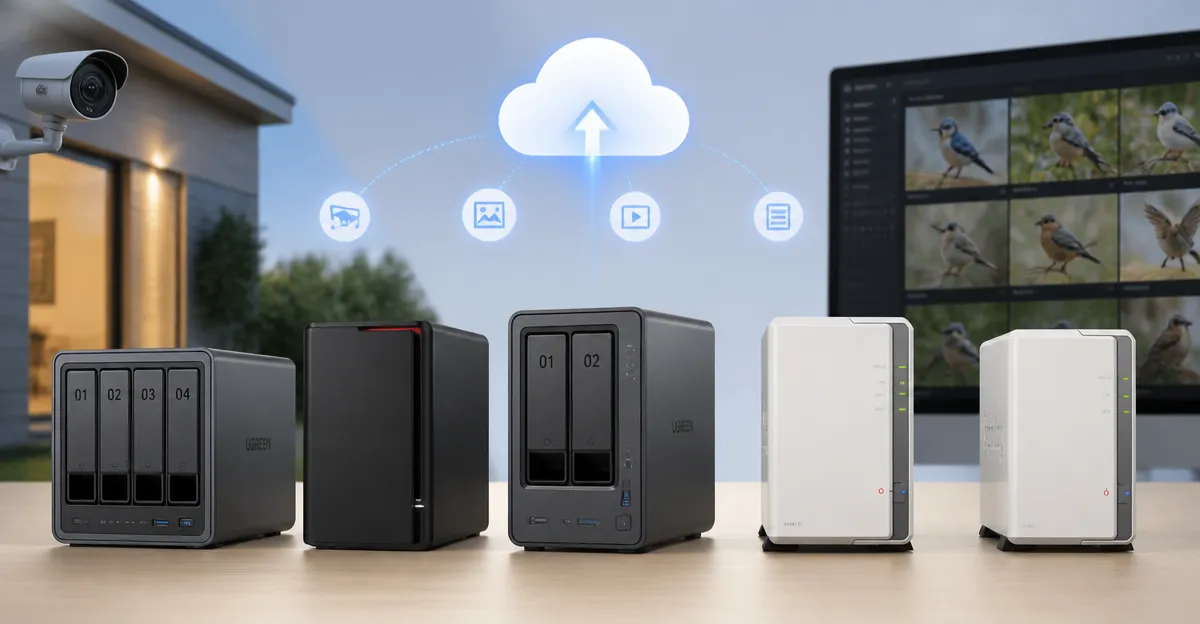
The network‑attached storage (NAS) market offers a wide range of devices that differ in capacity, performance and price. Selecting the right NAS influences how families back up photos, creators stream 4K media, and remote workers share files securely. This article evaluates five Amazon‑available models – UGREEN NAS DH4300 Plus, BUFFALO LinkStation 210, UGREEN NAS DXP2800, Synology DiskStation DS223j and Synology DS124. The comparison focuses on price, features, real‑world performance and the feedback that actual owners provide.
Individual Product Overviews
UGREEN NAS DH4300 Plus
The DH4300 Plus is an entry‑level 4‑bay NAS aimed at beginners and remote workers. It ships with an RK3588C octa‑core processor, 8 GB LPDDR4X RAM, a single 2.5 GbE port and supports Docker containers but not full virtual machines. The device advertises 128 TB raw capacity (drives not included) and includes AI‑powered photo backup, real‑time semantic search and automatic duplicate removal. At $399.99 it positions itself as a cost‑effective alternative to recurring cloud storage, promising a ten‑year savings of more than $6,500 when paired with a 12 TB drive set.
BUFFALO LinkStation 210
The LinkStation 210 is a single‑bay, 4 TB NAS that comes with a pre‑installed hard drive. It targets home users who need a simple personal cloud without subscription fees. Connectivity is limited to a 1 GbE Ethernet port, and the device runs a closed system that reduces third‑party app exposure. It offers basic backup utilities, macOS and Windows compatibility, and 24/7 US‑based support. Priced at $192.99, it is the most affordable option in this review.
UGREEN NAS DXP2800
The DXP2800 is a 2‑bay advanced NAS built for creators and power users. It features an Intel N100 quad‑core CPU, 8 GB DDR5 RAM, dual 2.5 GbE ports, and two M.2 NVMe slots for OS or cache drives. Unlike the DH4300 Plus, it can run both Docker containers and full virtual machines, making it suitable for Plex, Home Assistant and other heavy workloads. The advertised maximum capacity is 80 TB and the unit costs $369.95.
Synology DiskStation DS223j
The DS223j is a compact 2‑bay diskless NAS that runs Synology’s DSM operating system. It provides 2 GbE networking, a modest ARM‑based processor and 2 GB RAM. The device is praised for its clean web interface, extensive app ecosystem and strong data‑protection features such as automated backup and surveillance support. It is priced at $189.99.
Synology DS124
The DS124 is a single‑bay, diskless model designed for personal backup and smart‑home surveillance. It offers 2 GbE connectivity, an ARM processor and 1 GB RAM. The unit focuses on phone and computer backup, AI‑driven camera monitoring and a private cloud experience. At $138.99 it is the lowest‑priced Synology offering.
Head‑to‑Head Comparison
Price and Value
When evaluating cost, the BUFFALO LinkStation 210 provides the lowest entry price at $192.99, but its single 4 TB drive limits scalability. The Synology DS124 is the cheapest diskless option at $138.99, yet users must purchase their own storage. The UGREEN DH4300 Plus, at $399.99, delivers four bays and 2.5 GbE networking, offering a higher value for families that anticipate growth. The DXP2800 sits in the middle at $369.95, delivering more compute power and dual‑port networking for creators. The DS223j, priced at $189.99, balances affordability with Synology’s robust software ecosystem.
Features and Specifications
Table 1 summarizes the core specifications of each model. The UGREEN DH4300 Plus and DXP2800 stand out with 8 GB RAM, while the Synology devices provide 1–2 GB, which may affect multitasking. Only the DXP2800 supports virtual machines; the DH4300 Plus and DS223j support Docker. BUFFALO’s device lacks Docker support entirely. All models except the BUFFALO unit include AI‑enhanced photo management, but the DXP2800 adds AI surveillance features.
| Product | Bays | CPU | RAM | Network | Max Capacity | Docker / VM | Price (USD) | Rating |
|---|---|---|---|---|---|---|---|---|
| UGREEN DH4300 Plus | 4‑bay | RK3588C Octa‑core | 8 GB LPDDR4X | 2.5 GbE | 128 TB (raw) | Docker only | 399.99 | 4.1 (299) |
| BUFFALO LinkStation 210 | 1‑bay (4 TB included) | Proprietary ARM | 1 GB | 1 GbE | 4 TB (fixed) | None | 192.99 | 3.9 (2,070) |
| UGREEN DXP2800 | 2‑bay + 2 M.2 | Intel N100 Quad‑core | 8 GB DDR5 | Dual 2.5 GbE | 80 TB (raw) | Docker & VM | 369.95 | 4.5 (895) |
| Synology DS223j | 2‑bay | ARM (unspecified) | 2 GB | 2 GbE | Variable (drives not included) | Docker (limited) | 189.99 | 4.6 (853) |
| Synology DS124 | 1‑bay | ARM (unspecified) | 1 GB | 2 GbE | Variable (drive not included) | None | 138.99 | 4.3 (207) |
Customer Ratings and Feedback
All five devices hold ratings above 3.9 stars, indicating general satisfaction. The DXP2800 enjoys the highest average (4.5) with reviewers praising its speed, Docker flexibility and quiet operation. One user noted, "Plex runs smooth as silk in a container, runs cool and the UI is amazing, snappy." The DH4300 Plus receives mixed feedback; many appreciate its easy setup and 2.5 GbE speed, while a few report challenges with macOS Time Machine configuration. A reviewer wrote, "The only downside I noticed is that I couldn’t connect the NAS directly to my computer with a cable and use it like a DAS." The BUFFALO LinkStation 210 is valued for its simplicity, yet several users criticize the persistent trash folder and limited macOS support. One negative comment states, "The option to disable this feature is there, but the NAS continues to create these folders and they keep coming back." Synology’s DS223j and DS124 both earn strong scores (4.6 and 4.3). Users love the DSM interface and backup reliability, but some mention a learning curve and occasional USB naming quirks. A DS223j reviewer observed, "The software is a bit complicated for my taste, but once you get used to it the device is solid."
Performance and Reliability
Real‑world performance data from reviewers highlight the DH4300 Plus achieving ~200 MB/s transfer speeds over wired Ethernet, which aligns with its 2.5 GbE port. The DXP2800, equipped with an Intel N100 and dual 2.5 GbE, handles multiple Docker containers and 4K streaming without throttling; a user reported zero data loss while running Plex, qBittorrent and Home Assistant simultaneously. The BUFFALO unit, limited to 1 GbE, delivers adequate speeds for basic file sharing but occasional crashes were noted every six months, though without data loss. Synology devices benefit from DSM’s optimized file system; a DS223j owner reported a 1.5‑hour restore from USB directly to the NAS, compared with an 8‑hour transfer through a PC on a competing platform. Overall, the UGREEN and Synology models demonstrate higher reliability under heavy workloads, while BUFFALO remains suitable for light home use.
Best Use Cases
- Family Photo & Video Archive: UGREEN DH4300 Plus – AI photo album, 4‑bay capacity, 2.5 GbE speed.
- Small Home Office with Simple Backup: BUFFALO LinkStation 210 – pre‑installed 4 TB, plug‑and‑play, low price.
- Content Creator or Power User: UGREEN DXP2800 – Docker + VM support, dual 2.5 GbE, M.2 cache, excellent Plex performance.
- Tech‑Savvy Home with Extensive Apps: Synology DS223j – DSM ecosystem, surveillance, robust backup, expandable to 2 bays.
- Budget‑Conscious Personal Backup: Synology DS124 – 1‑bay, AI surveillance, easy phone backup, lowest price.
Pros & Cons
UGREEN NAS DH4300 Plus
- Pros: Four bays, 2.5 GbE, 8 GB RAM, Docker support, AI photo backup, strong cost‑saving claim.
- Cons: No virtual machine support, drives not included, macOS Time Machine setup can be cumbersome, no Wi‑Fi.
BUFFALO LinkStation 210
- Pros: Low price, pre‑installed 4 TB drive, simple web interface, 24/7 US support.
- Cons: Single bay limits expansion, 1 GbE bottleneck, trash‑folder issue, macOS compatibility limited to older versions.
UGREEN NAS DXP2800
- Pros: Intel N100 CPU, dual 2.5 GbE, Docker & VM, M.2 slots for cache, excellent Plex performance.
- Cons: Higher power draw, drives not included, HDMI output considered unnecessary by many.
Synology DiskStation DS223j
- Pros: DSM software, 2‑bay flexibility, 2 GbE, strong community support, surveillance tools.
- Cons: Only 2 GB RAM, limited Docker capabilities, initial software learning curve.
Synology DS124
- Pros: Very affordable, AI surveillance, easy phone/computer backup, 2 GbE.
- Cons: Single bay, 1 GB RAM limits multitasking, cover design reported as difficult to reseal.
Recommendations by Use Case
For families that need a scalable, high‑speed storage hub with AI photo organization, UGREEN DH4300 Plus is the most balanced choice. Small home offices seeking a plug‑and‑play solution should consider the BUFFALO LinkStation 210. Creators running multiple containers or virtual machines will benefit most from the UGREEN DXP2800. Users who value a polished software ecosystem and plan to expand to two drives should select the Synology DS223j. Finally, the budget‑focused individual looking for basic backup and AI home‑security should opt for the Synology DS124.
Frequently Asked Questions
- Can I use the UGREEN DH4300 Plus with Time Machine on macOS? Yes, but the setup is not straightforward. One reviewer detailed a multi‑step process involving SMB sharing, Bonjour activation and manual folder size configuration. The official guide does not fully cover the nuances.
- Does the BUFFALO LinkStation 210 support RAID? No, the device is a single‑bay unit with a fixed 4 TB drive and does not provide RAID options.
- Which NAS offers the best Docker performance? The UGREEN DXP2800, powered by an Intel N100 and 8 GB DDR5, consistently handles multiple containers with low latency, according to user reports.
- Is the 2.5 GbE port on the DH4300 Plus worth the extra cost? For users transferring large files (e.g., 1 GB video in 3 seconds as claimed) or streaming 4K content, the higher bandwidth reduces bottlenecks compared with 1 GbE devices.
- Can I run virtual machines on the Synology DS223j? The DS223j does not officially support full virtual machines; it can run lightweight Docker containers but not hyper‑visors.
- What warranty do these devices provide? Both UGREEN models and the Synology DS223j include a 2‑year warranty, while the BUFFALO LinkStation 210 also offers a 2‑year warranty with US‑based support.
- Do any of these NAS units include built‑in SSD caching? The DXP2800 includes two M.2 NVMe slots that can be used for OS installation or SSD caching, enhancing read/write performance.
Conclusion
Choosing a NAS hinges on the balance between capacity, performance and budget. The UGREEN DH4300 Plus delivers a compelling four‑bay solution with AI photo features and 2.5 GbE networking at a mid‑range price, making it ideal for growing families. The BUFFALO LinkStation 210 remains the most economical entry point for users who need a single‑drive personal cloud. For power users, the UGREEN DXP2800 stands out with its Intel CPU, dual 2.5 GbE ports and Docker/VM capability. Synology’s DS223j offers a polished software experience and two‑bay flexibility, while the DS124 provides the lowest‑cost Synology entry for basic backup and AI surveillance. By aligning each device’s strengths with specific user scenarios, readers can make an informed purchase that maximizes value and performance.